

Add or Remove yourself from a State Association
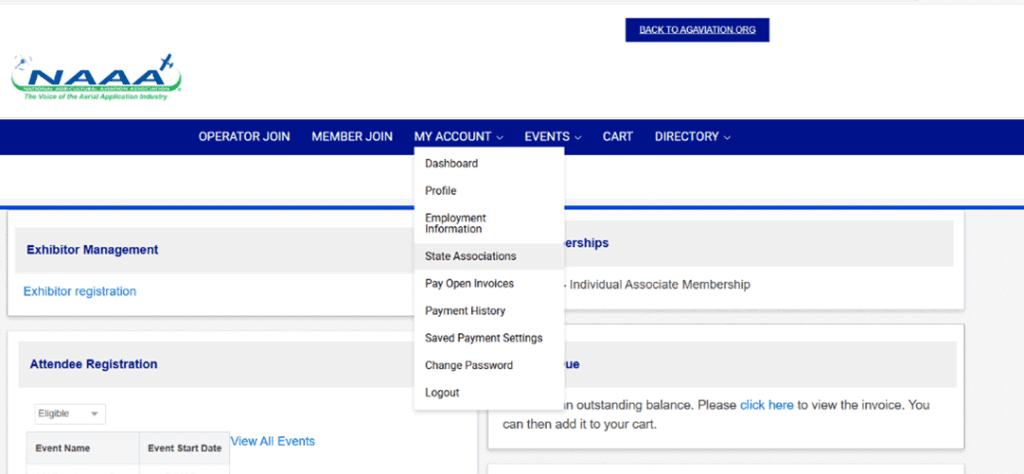
Once logged into the account, select State Associations from the My Account dropdown menu.
Select the “+” next to the state association to join, select the red minus next to the association on the right to remove it.
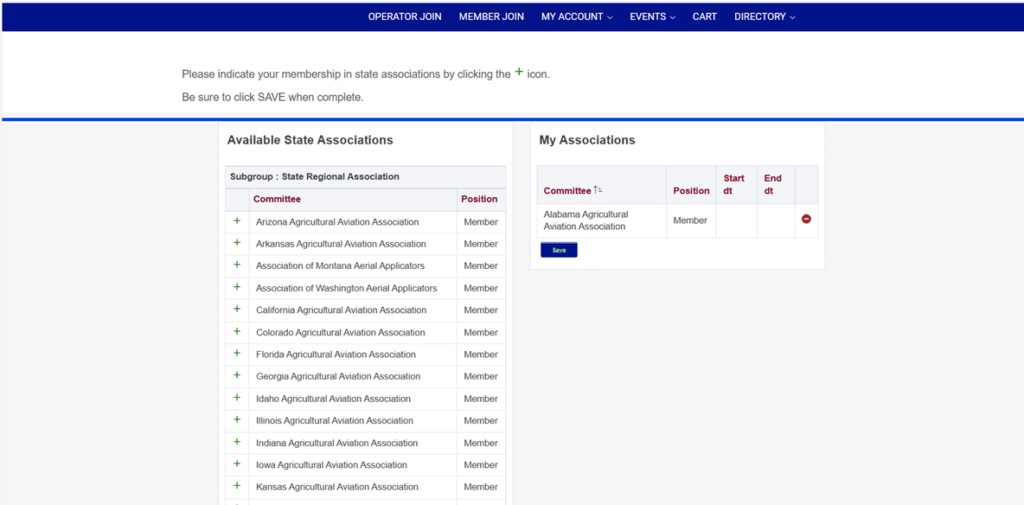
Click save to confirm the state associations joined.